Invited Educators Section
Provider Applications
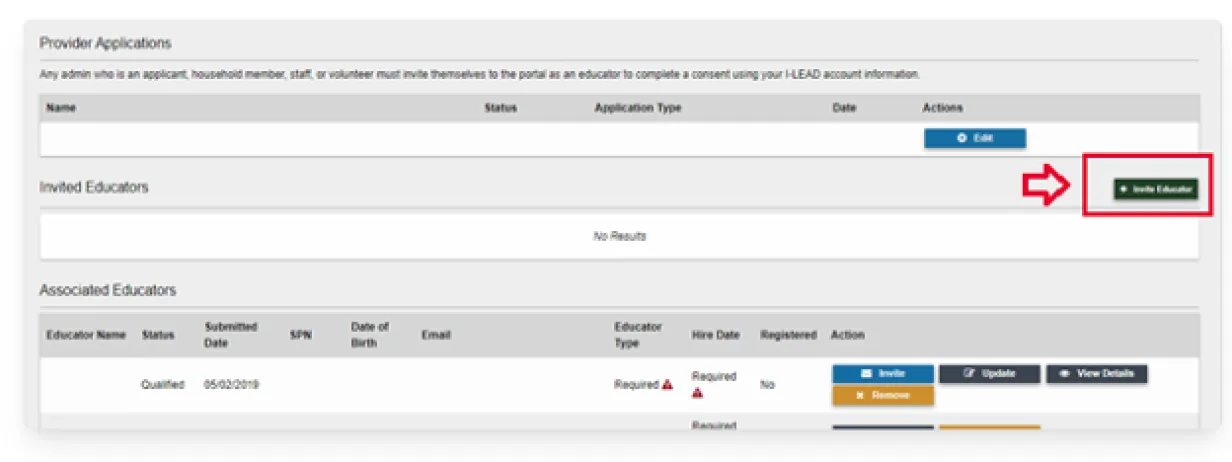
The Invited Educators section is located near the middle of the Provider Details page. It shows all past and current applications submitted for the license listed in the Provider Information section.
Your feedback was recorded successfully and shared. We appreciate your input.

Provider Applications
The Invited Educators section is located near the middle of the Provider Details page. It shows all past and current applications submitted for the license listed in the Provider Information section.
The Invited Educator section contains six fields:
Educator Name: The legal name of the new educator. The name listed was manually entered by the child care provider.
Email: The email address to which the invitation was sent. If an educator claims they did not receive the invitation, check this section to see if the email address is spelled correctly.
Educator Type: An educator’s role in a child care program. The four educator types are:
Hire Date: The date an educator joined the child care program. The date should always be a past date or the day the educator invitation was sent.
Date Last Sent: The date and time the educator invitation was sent to the educator's email address for verification. Before attempting to log in to I-LEAD from the invitation, the educator should check that the timestamp on the invitation is from the same date.
(Note: Gmail combines old and recent emails. The newest emails are usually at the bottom of the page. Click the three blue dots on the left under the email address to expand the message.)
Status: Whether the invitation is pending or expired. Educator invitations expire after 72 hours for security and privacy reasons. If the invitation has expired, click Re-Invite to send a new invitation so the educator can log in. The Re-Invite button is also used to edit the email address if the invitation was not sent to the correct one.
Inviting Staff
button allows providers to invite staff. Only staff who are missing from the Associated Educator roster should receive an educator invitation. Those who have changed their email addresses will likely need to merge
their accounts instead of receiving an invitation. If an educator is missing from the Associated Educator roster, they should retry their educator invitation. Educator invitations are active for 72 hours.