
I-LEAD Educator Types

Educator types identify an individual’s role within I-LEAD. These are typically assigned by the provider admin when they send out educator invitations to their staff. Provider admins are the only ones with the ability to change these fields. This article will assist provider admins with which role is most appropriate for the educators they are adding. It should also identify what role a provider admin will assign to themselves when adding their email to a license.

The five educator types are Early Learning Substitute Educator, Household Member, Volunteer, Staff and Applicant.
- Early Learning Substitute Educator: This option only applies to Monroe County workers connected to a coordinating agency. This is exclusively used for substitute educators affiliated with the pilot program.
- Household Member: Any individual who resides in the home of the licensed child care home and is 18 years of age or older. They are usually not involved in providing child care services.
- Volunteer: A person working or assisting in a child care program more than eight hours a month who is not paid by the program. Interns are classified as volunteers. This role is also assigned to juveniles who submitted consent forms and work in a child care facility for educational purposes.
- Staff: The most common role, a caregiver/staff is an early childhood professional who is a qualified employee providing direct care and education to children. These individuals are providing direct care and education to children. These individuals are actively employed by the organization and do not volunteer their time.
- Applicant: Those who assist with the licensing renewals, updates and new licensing submissions. Applicants are responsible for signing the attestation form and the final page of a licensing application. Usually, the following individuals hold this role:
- The owner of a home where the child care will operate.
- The director at a child care center.
- The principal at a school.
- The pastor/religious leader/president at a ministry.
- The parent who is hiring a nanny to care for the children.
Only one "Applicant" is permitted per child care program. This person will serve as the main contact during the review stage of the application. If an applicant no longer works for your program, enter their termination date (Format: MM/DD/YYYY) on your Associated Educator roster. If the individual still works for your program but will no longer serve as the applicant, update their educator type to "Staff." A new educator with the "Applicant" educator type can be invited to a program when no one else is listed as "Applicant" on the license.
Follow these steps to modify an individual’s educator type.
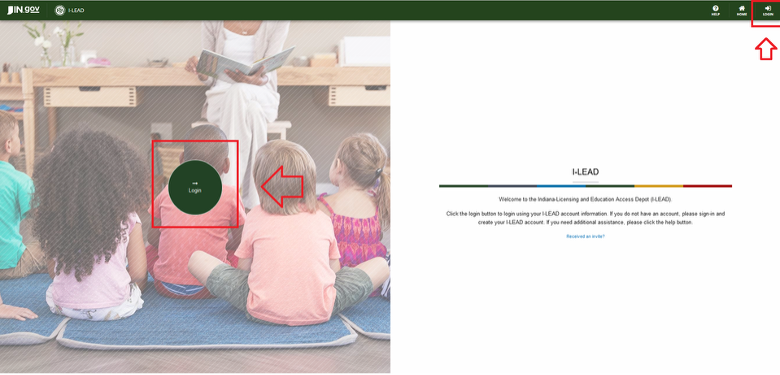
- Log in to your provider admin account.
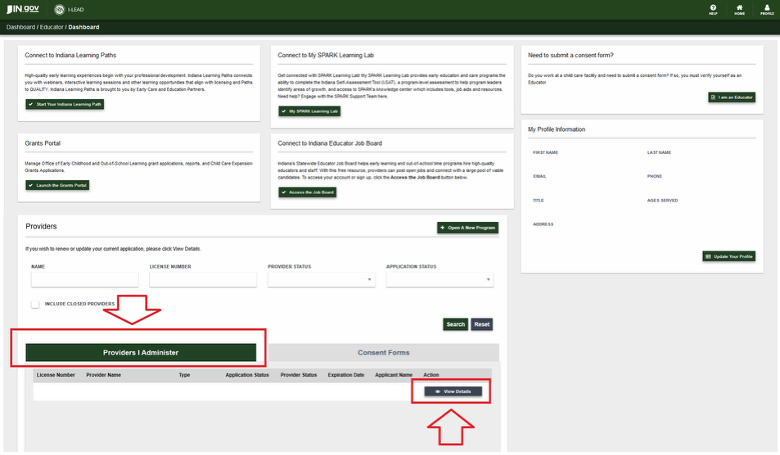
2. Click View Details for the license associated with the corresponding staff roster you wish to review.
3. Scroll to the Associated Educators section.
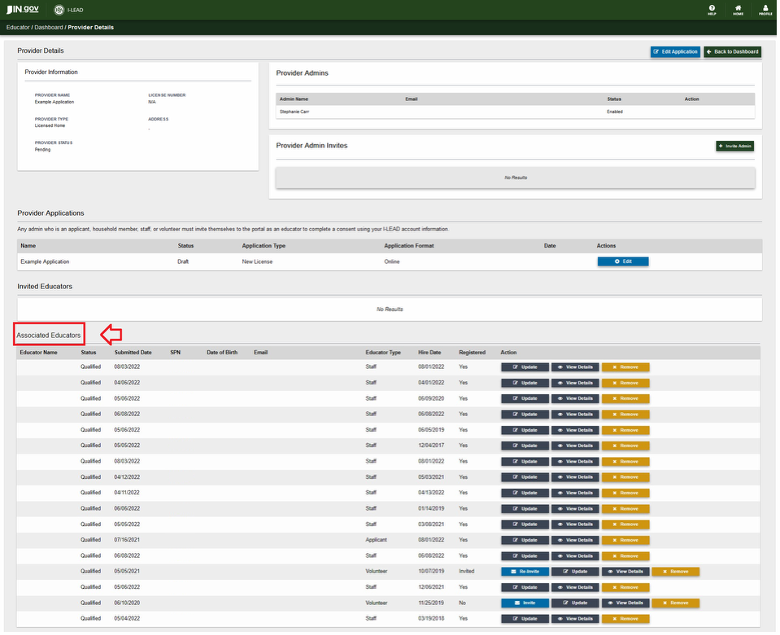
4. Locate the individual educator you would like to modify.

5. Click the Update button located to the right of their name.

6. Utilize the dropdown box under Educator Type to select the appropriate role.
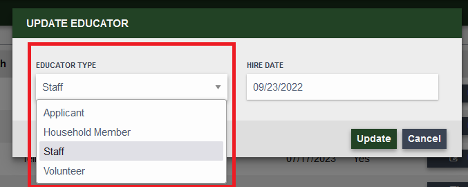
7. Click the green Update button to save your selection. The changes will show up immediately on the roster if successful.
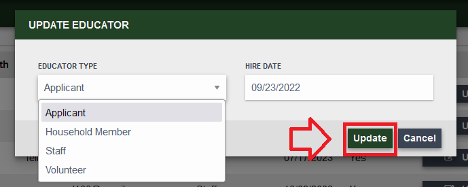
Note: The provider admin must assign educators both an Educator Type and a Hire Date (Format: MM/DD/YYYY) so they can complete a consent form. When the provider admin clicks the Update button, changes made in this section will show immediately on the roster.

Need Additional Help?
Contact the OECOSL Child Care Support Line at 1.800.299.1627 or email Qualitysupport@fssa.in.gov for assistance.